
Station Spacewalk Game
More programs (40)
Screenshots
App details
- Version
- 2.5.1.24931
- Size
- 77.30 MB
- Updated
- January 17, 2022
- Requires
- Mac OS X
- Language
- English | Finnish
- License
- Free
- Developer
- More programs (40)
- Category
- Mac OS
SoftPas in:
This product is also available in the following languages:
About Station Spacewalk Game
Download Station Spacewalk Game – free NASA spacewalk simulation, ISS adventure
Overview
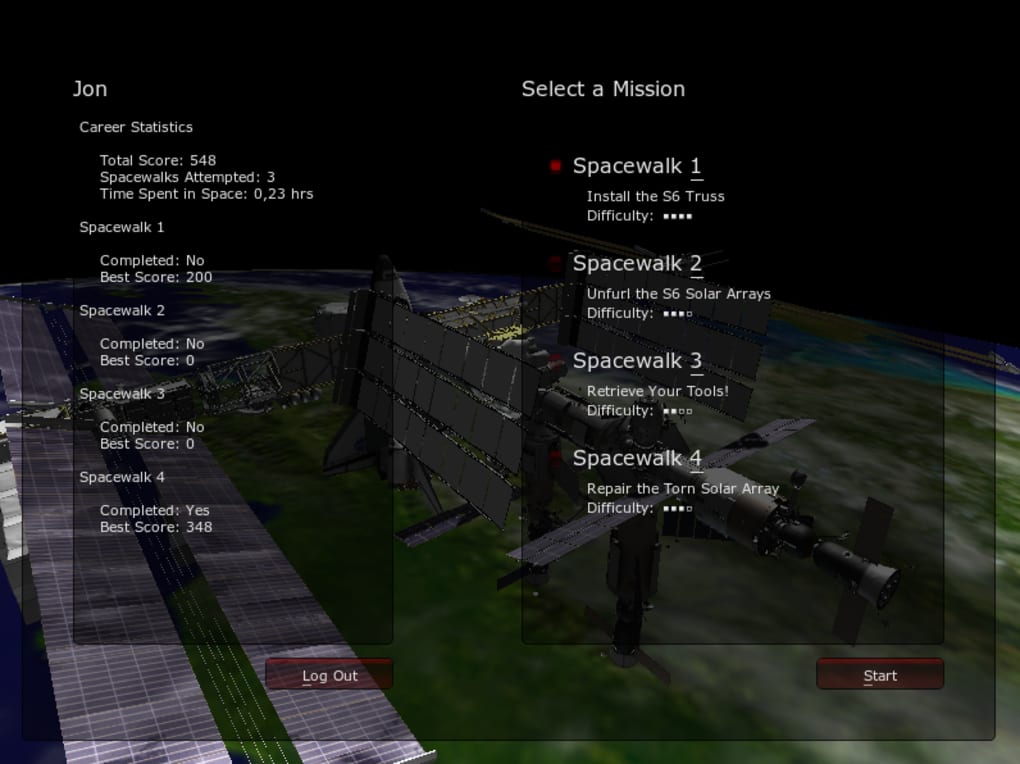
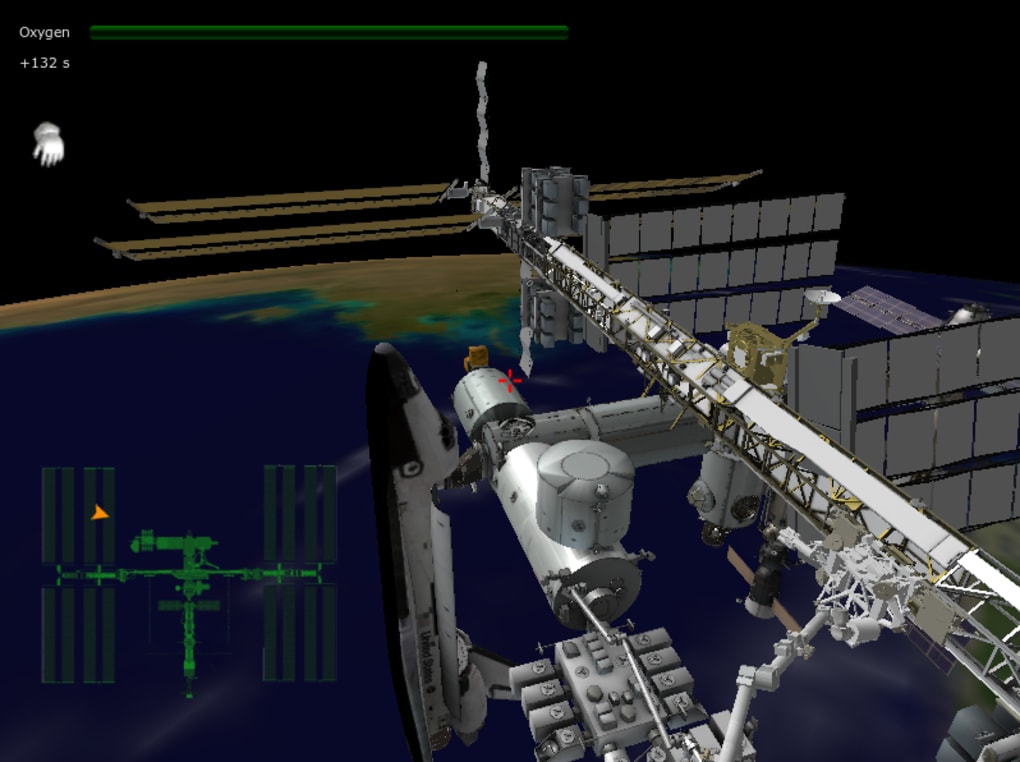
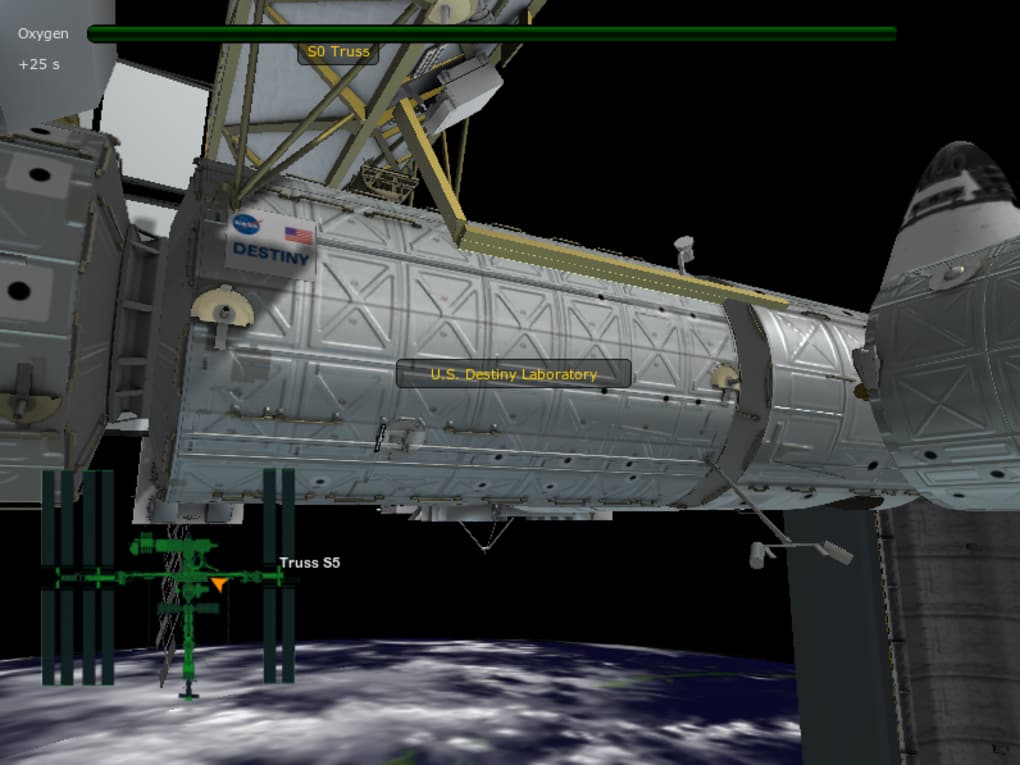
Station Spacewalk Game is a short yet immersive 3‑D experience created in partnership with NASA that lets anyone step onto the International Space Station (ISS) for a virtual extravehicular activity (EVA). Unlike typical sci‑fi shooters that populate space with alien threats, this tool focuses on realism and education, offering four distinct missions that simulate real‑world tasks such as repairing a solar panel, retrieving a lost tool, and checking life‑support systems. Powered by the Unity engine, the graphics are clean and the physics feel surprisingly authentic for a free download. The game runs on a gentle pace, giving players plenty of time to explore controls, monitor oxygen levels, and appreciate the stunning backdrop of Earth (albeit at a modest resolution). Whether you’re a budding astronaut, a teacher looking for an engaging classroom demo, or a space‑enthusiast craving a taste of zero‑gravity, Station Spacewalk Game provides a safe, low‑cost way to fulfill that childhood dream of floating among the stars.
The experience is deliberately short—each mission can be completed in 5‑10 minutes—making it perfect for quick classroom demonstrations or a brief break during a busy day. Future updates promise unlimited exploration and higher‑resolution Earth imagery, but even in its current form the game offers a compelling blend of education and entertainment. Its keyboard‑and‑mouse controls are simple enough for newcomers, yet the underlying simulation respects the complexities of real ISS procedures, such as managing oxygen consumption and handling tether restraints. In short, Station Spacewalk Game is a polished, free tool that bridges the gap between a video game and a professional training module, delivering a genuine feel of what it’s like to work outside Earth’s atmosphere.
Key Features & Gameplay
- Four mission‑based EVAs that mirror real ISS maintenance tasks.
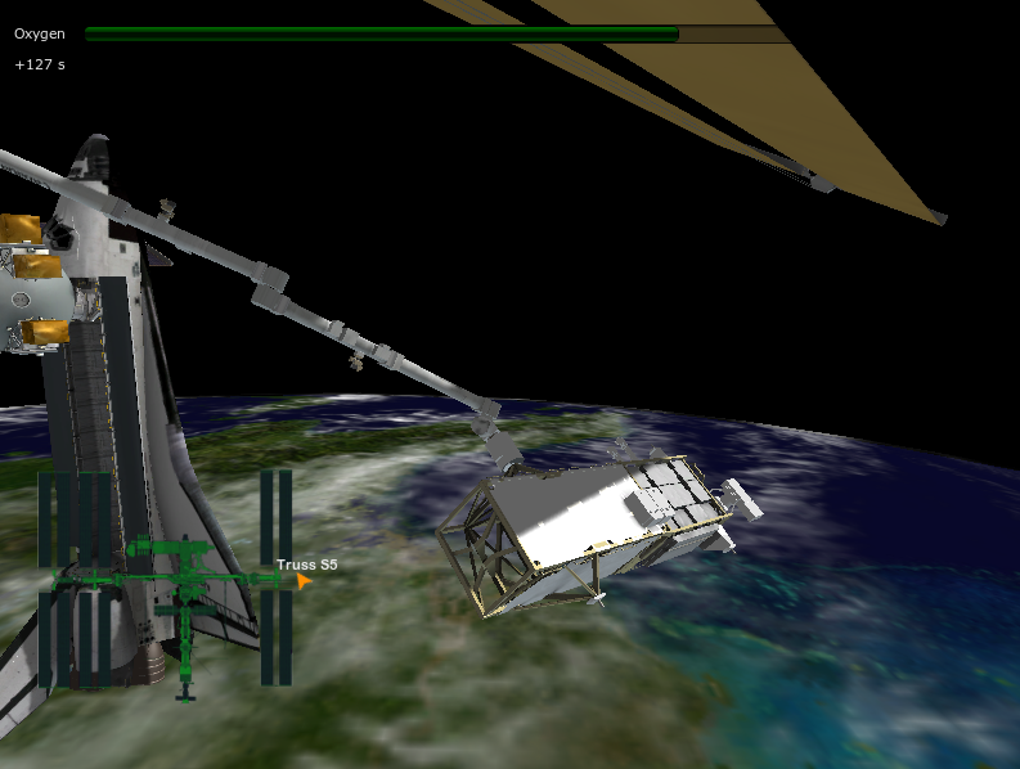
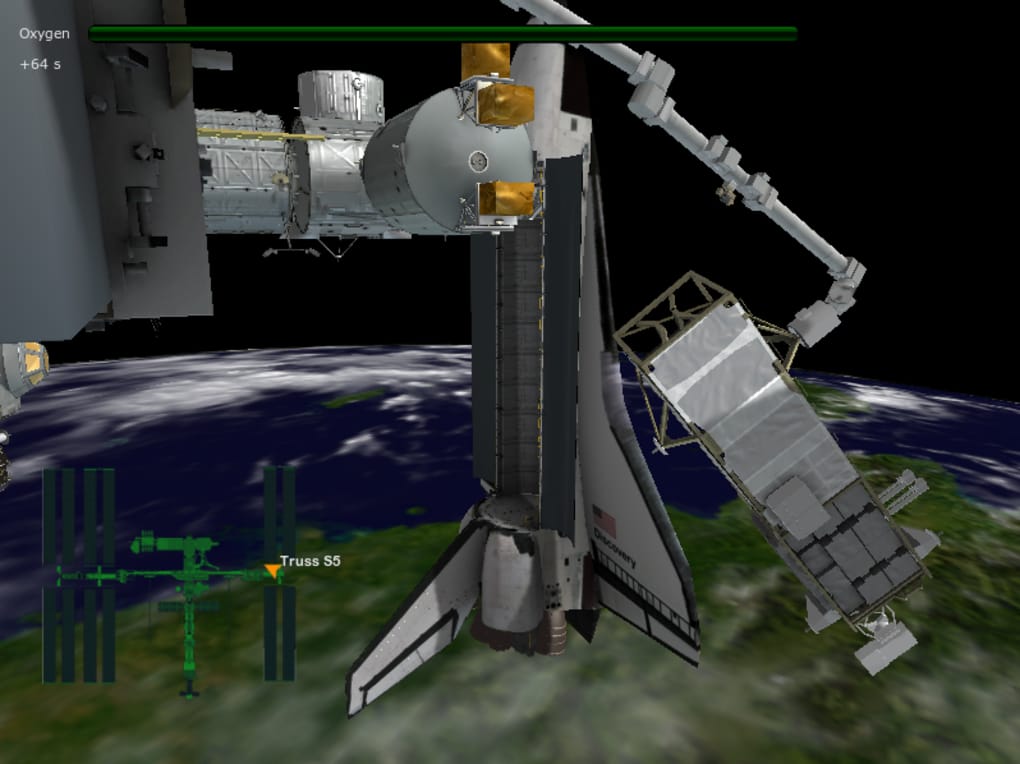
- Real‑time oxygen monitoring that requires careful planning.
- Accurate 3‑D model of the International Space Station built in Unity.
- Keyboard and mouse control scheme with on‑screen key reference.
- Educational overlays explaining tools, procedures, and astronaut safety.
- Free download with optional future content updates.
- Cross‑platform compatibility for Windows, macOS, and Linux.
- Low system requirements, allowing smooth performance on most modern PCs.
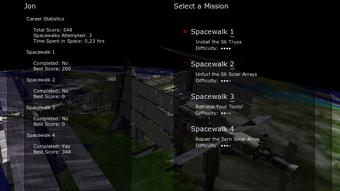
Each mission starts at the airlock, where the player straps into a virtual EVA suit. The HUD displays critical data such as oxygen levels, tether tension, and mission objectives. For example, the “Repair Solar Array” mission guides you to locate a loose connector, replace a module, and verify the power output before heading back to the airlock. The “Tool Retrieval” scenario adds a scavenger‑hunt element, requiring you to locate a lost wrench floating near a module while avoiding collision with the station’s exterior.
The game’s pacing is intentionally slow, mirroring the deliberate nature of actual spacewalks. This design choice reduces the learning curve, allowing users to familiarize themselves with the control layout without feeling rushed. The visual design captures the curvature of the ISS trusses and the delicate nature of external components, while the distant view of Earth rotates slowly, providing a mesmerizing backdrop that reinforces the feeling of being in low‑Earth orbit. Although Earth’s texture is currently low‑resolution, NASA has hinted at future upgrades that will showcase higher‑detail planetary imagery, making the experience even more awe‑inspiring.
Installation, Controls, and System Compatibility
How to Download and Install
Installing Station Spacewalk Game is straightforward. First, visit the official NASA download page or the Unity Asset Store link provided on the project’s website. Click the “Download Free” button, which initiates a small installer (~150 MB). Run the installer and follow the on‑screen prompts: accept the license agreement, choose an installation directory (the default is C:\Program Files\StationSpacewalk on Windows), and let the wizard extract the necessary files. Once the process completes, a shortcut appears on your desktop. Double‑click the shortcut to launch the application. The first launch may trigger a short verification step that checks for required Visual C++ Redistributables; if prompted, allow the automatic download and installation.
Control Scheme
The control layout is designed for simplicity:
- W / A / S / D – Move forward, left, backward, and right.
- Spacebar – Activate thrusters for small adjustments.
- Shift – Increase movement speed for quick repositioning.
- Mouse movement – Rotate the camera and orient the astronaut’s suit.
- R – Reset orientation to default.
- O – Toggle the oxygen HUD overlay.
- Esc – Pause the mission and open the help menu.
A persistent on‑screen key legend helps newcomers remember these bindings, and the pause menu includes a “Controls” tab for reference. Because the game runs at a modest frame rate, users can comfortably adjust sensitivity in the settings menu to match personal preferences.
Operating System Support
Station Spacewalk Game supports the following platforms:
- Windows 10 and later (64‑bit).
- macOS 10.13 High Sierra and later (Intel and Apple Silicon via Rosetta 2).
- Popular Linux distributions (Ubuntu 18.04+, Fedora 30+, with OpenGL 3.2 support).
Minimum hardware requirements include a dual‑core CPU, 4 GB RAM, and an integrated graphics card with OpenGL 3.2 support. These modest specs ensure that the game can run on most laptops and desktop computers, making it accessible to students and hobbyists alike.
Pros, Cons, and Expert Review
Pros
- Completely free and officially backed by NASA.
- Realistic EVA mechanics that teach actual spacewalk procedures.
- Low system requirements enable broad accessibility.
- Clear, on‑screen control guide reduces learning curve.
- Educational overlays make it suitable for classroom use.
Cons
- Earth’s texture is low‑resolution, limiting visual immersion.
- Limited to four short missions; longer playtime desired.
- No multiplayer or collaborative features.
- Audio design is minimal, lacking ambient station sounds.
- Future updates are promised but not yet released.
Overall Rating: 4/5 – Station Spacewalk Game delivers an authentic taste of astronaut life without the cost or risk of real training. The educational value outweighs the modest graphical limitations, and the free price tag makes it a must‑try for anyone interested in space exploration.
FAQ & Final Verdict
Is Station Spacewalk Game suitable for children?
Yes. The game’s controls are simple, the pace is slow, and there is no violent content, making it appropriate for school-aged children under parental supervision.
Do I need an internet connection to play?
No. After the initial download, the game runs fully offline. An internet connection is only required for updates or accessing optional documentation.
Can I use a game controller instead of keyboard and mouse?
The default version only supports keyboard and mouse. However, the Unity engine allows community mods, and some users have successfully mapped the controls to Xbox or PlayStation controllers.
Is there a way to extend the missions?
Future updates from NASA are expected to add unlimited exploration mode and additional mission packs. In the meantime, creative users can edit the mission files to create custom scenarios.
What is the system requirement for macOS?
macOS 10.13 or later, 4 GB RAM, and a graphics processor supporting OpenGL 3.2. Both Intel and Apple Silicon Macs run the game via Rosetta 2 if needed.
Final Verdict
Station Spacewalk Game offers a rare blend of authenticity, education, and accessibility. Its free price point, low hardware demands, and NASA backing make it an excellent introduction to spaceflight for anyone curious about the ISS. While the visual fidelity could improve and the mission count remains limited, the experience is solid enough to recommend as a classroom tool, a casual simulation for space enthusiasts, or a stepping stone for budding developers interested in Unity‑based space projects. Download today, lace up your virtual EVA suit, and experience the quiet wonder of floating above Earth.
Download Station Spacewalk Game now and start your journey beyond the atmosphere!
Guides & Tutorials
How to install Station Spacewalk Game
- Click the Download button above.
- Once redirected, accept the terms and click Install.
- Wait for the Station Spacewalk Game download to finish on your device.
How to use Station Spacewalk Game
This software is primarily used for its core features described above. Open the app after installation to explore its capabilities.
User Reviews
No reviews yet. Be the first to share your experience.
You may also like
more
DiffusionBee
Generate unique art with this app DiffusionBee is a free and accessible artifici...

Excire Foto Light
Organize your snapshots Excire Foto Light is a free-to-download AI -powered phot...

Topaz Photo AI
Photo enhancement tool with AI Topaz Photo AI is a premium AI image editor for P...

anonymoX
Surf anonymously with Firefox anonymoX for Firefox is an add-on that gives you f...
DownThemAll
Download Them All! Downloading anything or everything on a webpage can be a labo...
.webp)
DuckDuckGo Privacy Essentials
A free program for Mac, by DuckDuckGo, Inc.. DuckDuckGo Privacy Essentials is a...